

Superfast SSD Hosting powered by 20i.com included in your IM Buyers Club membership.
Hosting powered by 20i.com with Unlimited* Storage Space, Unlimited Bandwidth, Unlimited Addon Domains, Unlimited Subdomains, Unlimited Email Accounts, Control Panel, Built-in Site builder, offering hundreds of scripts, Multiple PHP versions (inclusive the latest), Unlimited FREE SSL Certificates (Let's Encrypt).
Data centers located in UK (London) and in the US (Dallas, TX). Load-balancing between multiple servers in each location guarantees the quality of service. An extensive CDN network ensures that your sites will load fast in any corner of the world.
Daily time-line back-ups are included in all hosting packages (value £5/m).
You can cancel all your existing hosting, this is top-notch professional and reliable hosting that will make your membership in IM Buyers Club pay for itself.
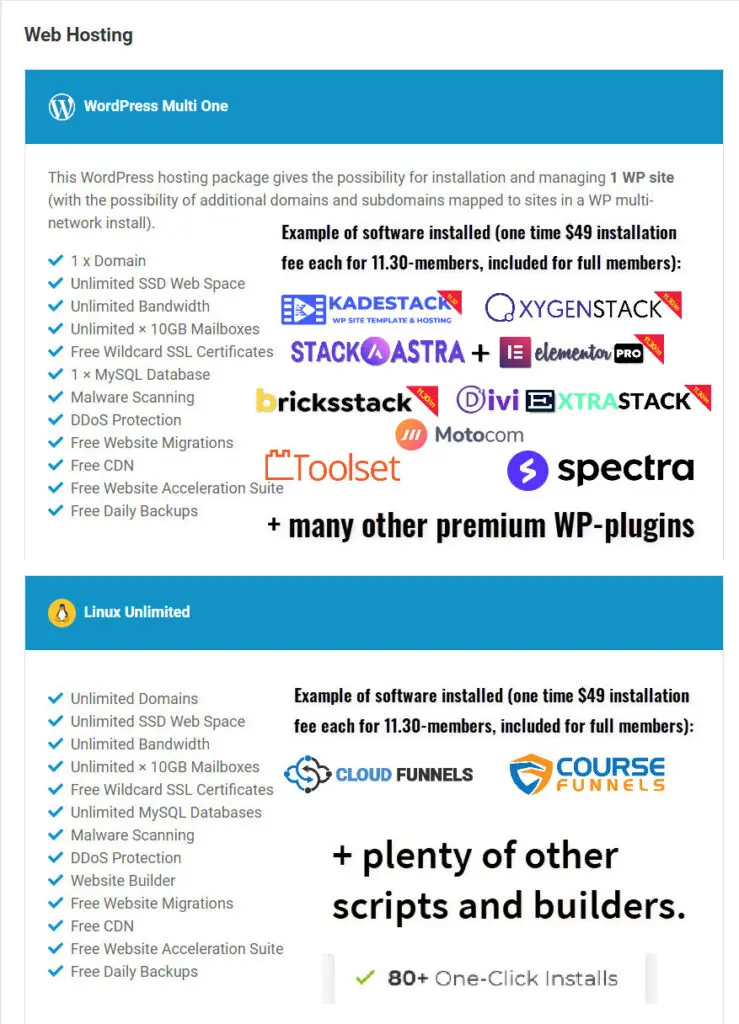
Founding- and 2nd-wave- members get 50 hosting PACKAGES divided in 2 x 20 WordPress One and 2 x 5 Linux Unlimited PLANS.
11:30 members get 12 PACKAGES divided in 2 x 5 WordPress One and 2 x 1 Linux Unlimited PLANS. Select UK or US datacenters.
A WordPress One PACKAGE has special optimization and managing options for WP sites built into the control panel and hosts ONE domain/site per package and no sub-domains (except for WP Multi-network sites).
A Linux Unlimited PACKAGE hosts unlimited sites with their own addon-domains or subdomains.
You must use your own domains for each package and you have three options to add them: 1) Buy them from 20i (through the club's reseller account when you register your hosting package). 2) Migrate an existing domain by changing the Registrar, and 3) the most common, by changing the nameservers of an existing domain with its existing Registrar.
Your access procedure is now very simple and consists of three steps:
- You sign up for a hosting ACCOUNT and open a ticket when done and let me know where (UK or the US) you want me to set up your PLANS.
- I will allocate the PLANS to your hosting account according to your request and let you know when ready.
- You are now ready to start to add domains/sites in the hosting management control panel.
Watch the whole process in the video below. If you already have a hosting account, you can jump to 2:25 for how to add domains/sites.
The nameservers are: ns1.stackdns.com, ns2.stackdns.com, ns3.stackdns.com, ns4.stackdns.com (use all four!)
Watch the video below for setting up a WordPress site on a special WP-optimized hosting package. IMPORTANT! For security reasons and protecting against unauthorized WP installations, be sure to install WordPress directly after having added your domain!
Watch the video below for a full walkthrough of the differenced between Linux and WordPress hosting packages.
You can also watch the YouTube Channel for more club hosting tutorials.